How to Document Your Child's Growth
There are probably a few thousand photos of your child on your phone right now. Odds are you've printed almost none of them.
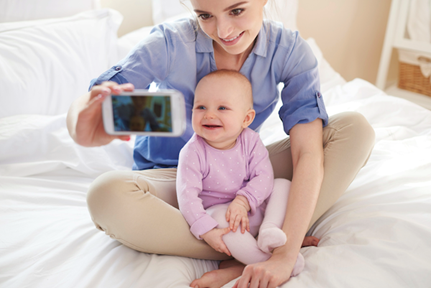
That's the trap. Parents film everything, then store it somewhere they'll never look again. The early years pass in a blur of nappies and half-drunk cups of tea, and then one morning the baby who couldn't hold a spoon is arguing about socks. If you're wondering how to document baby's growth without it turning into another job on the list, the real answer is that it's two jobs, not one.
First, getting into the habit of recording the small stuff. Then doing something with it before it vanishes into the camera roll. Good baby's first year documentation is mostly that second part, and almost nobody warns you.
Getting the Photos and Clips in the First Place
Here's what the parents with the lovely albums won't tell you: they weren't more organised than anyone else. They pressed record more often and fussed about it less.
Pick one anchor habit. A monthly photo on the same kitchen chair, with the same scruffy teddy propped beside the baby, works about as well as anything. Same chair, same teddy, roughly the same date. Because everything else stays put, your eye goes straight to the thing that changed.
Stack those twelve shots side by side and you've built a visual timeline baby milestones without opening a single app. The teddy does a second job too. It shows scale. Month one, the baby's smaller than it. By month twelve they're lobbing it across the room.
Video is where most parents fall down. The 1 second a day baby video trick sorts that out. Film a few seconds of nothing much, a yawn, a bath, a faceplant into the sofa, and the year builds itself out of the scraps. Two seconds is fine. Nobody's marking you.
Sound matters more than you'd expect. Babble. The first proper laugh, the one that comes from the belly. Keep a note in your phone of the mangled early words, because half of them will be gone from memory by the second birthday. Want more creative ways to record baby milestones? Start a shared album so the grandparents drop their photos in as well. Keep a scrap of card by the highchair for first foods, first steps, first tooth, and write the date on the back. You will not remember otherwise. Nobody does.
One more, and it's the cheapest of the lot: numbers. Jot the odd weight and length into the red book the health visitor handed you, then photograph the page so it sits on your phone with everything else. Milestones aren't only faces and first steps. First rolled over, first slept through the night, first tooth that promptly wrecked the sleeping through, all of it earns a line somewhere.
Don't wait for good light or a tidy room, either. A blurry, badly lit baby milestone video of first wobbly steps beats ten perfect photos that were never taken. And back it all up somewhere off your phone every few weeks, because phones get dropped, lost, and even occasionally drowned.
Right, Now Do Something With It
A few thousand photos is not a memory. It's a landfill. It only starts to count for anything when you pull out a small handful and give them a home off the screen.
A few things that work, none of which eat a whole weekend.
Prints first. Boring advice, best advice. Order a photo book at the end of the year, or slot twelve monthly shots into a multi-aperture frame for the wall. Ten quid from Boots, the grandparents will love it, done. Clouds fold and phones die. Paper just sits in a drawer being reliable.
A monthly board next. If that same-chair photo went in every month, lay all twelve out on one page. It reads in a single glance, and it's oddly moving to see the whole year at once. Print it as a poster, or make it the first page of the album.
Video last, and this is where the real feeling lives, because a still photo can't hand back the sound of the laugh or the wobble of the walk.
Turning the Mess Into One Baby Growth Video
You want an editor you can drive one-handed during a nap, not something that needs a manual. Movavi Video Editor fits that. Windows or Mac, drag-and-drop, and there's something watchable inside thirty minutes. Here's roughly how it goes when the plan is to compile baby videos into one video.
Everything onto the timeline first. Clips, photos, those voice notes. The program lets you combine photos and videos into one video on the same track, so there's no choosing between them. Lay the monthly photos in date order and slot the clips in between.
Then the trimming, which is most of the work. Cut the dead air off each clip. If there's one long fifteen-minute recording of a whole messy afternoon, chop it into separate moments and keep only the good seconds. This is the part where you edit baby clips together into something with an actual shape.
Photos become a slideshow. Set each still to hold for a couple of seconds, drop a transition between them, and the whole thing quietly works as a baby monthly photo video maker. Twelve monthly shots, one gentle slideshow video for baby, leading into the moving footage.
Now the AI bits, and this is the part that earns its keep. Movavi also handles the jobs nobody wants to do by hand. Noise reduction kills the wind on the park clips. Background removal lifts the baby out of a wreck of a living room, no green screen needed. Motion tracking pins a little "8 months" label that follows the baby as they crawl off-camera, which looks far cleverer than it is. Auto subtitles will even caption first words, so they land with the sound off.
Music goes on last. Grab a track from the royalty-free library, or add music to baby video by dropping in whatever song was playing on the drive home from hospital. Add a plain title for each month. Export as an MP4, up to 4K if the phone shot it that well, and there it is: a homemade baby first year video maker result the family will replay far too many times. Used this way the whole thing is really just a baby growth video editor any knackered parent can handle, and what you end up with is a memory video worth keeping.
And if you don’t want to bother with a whole video editor, you can edit something quickly online. Just upload your footage to something simple like a video splitter, create a story, add a bit of text and some background music, and it’s done.
Bringing It All Together With a Video Collage
If you’ve got a bunch of clips and photos from a big milestone, like a birthday or a special family day, you don't have to spend hours cutting them into one long video. Instead, try making a video collage and wrap up all those memories in a single view. With a video collage maker, you can just pop your favorite moments side-by-side or in a grid to show off different angles and highlights all at once. It’s a fun, stress-free way to preserve the energy of a busy day without complex editing.
As They Get Older, Keep the Habit Going
The first year hogs the attention because it changes the most. The ones that follow are quieter, but there's little sense in stopping at the first birthday cake.
Ease off the frequency as they grow. Monthly suits a baby who looks different every fortnight. For a toddler, every three months is plenty. By nursery age, twice a year does it, pinned to something you'll remember anyway: the first day in a new room, a birthday, the start of the summer holidays.
Keep the same-spot photo running, though. It's the most useful trick in here, because a two-year-old and a five-year-old in the same chair, clutching the same battered teddy, says more than any caption could. The gaps get longer. The change gets more startling.
Milestones move from the body to the mouth, too. First full sentence. First proper friend. The afternoon the stabilisers finally come off. Those don't photograph as tidily as a first tooth, so lean on short clips and voice notes for the years when the best material comes out of them talking rather than teething.
Anyway. Print something this week. A photo book, one framed picture, a thirty-second clip, it doesn't matter which. Future you, going misty-eyed over a phone screen in fifteen years, will not forgive present you for skipping it.