AI Video Generator Stories Can Feel Personal Without Child Portraits
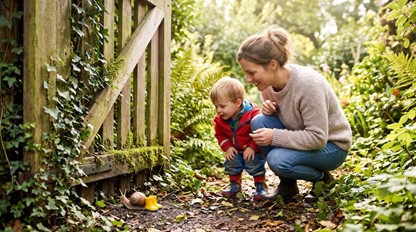
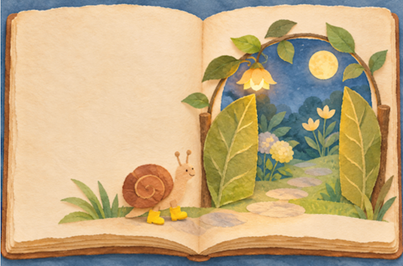
A snail in yellow boots waits beside an enormous garden gate. The boots are the colour a child chose, and the gate leads to the imaginary place the family invented together. There is no child in the picture. The connection comes from a shared idea rather than a familiar face appearing on the screen.
That gives a parent a useful starting point for a small story project. Personal does not have to mean a photographic likeness. A chosen object, an invented destination, or a recurring joke can give the family something to recognise while leaving the people themselves outside the generated scene.
How Shared Choices Make a Fictional Scene Feel Familiar
Imagine a parent and child making up a story about the snail's first trip to a moonlit garden. The child chooses yellow boots and a gate too large for an ordinary snail. Those details belong to the story because the family chose them. The scene does not need the child's full name, home address, or portrait to carry that connection.
Before trying an AI video generator, separate the detail that makes the story enjoyable from the detail that identifies a person. Yellow boots can remain a fictional costume choice. A real school badge or the exact front of the family home would introduce information unrelated to the snail's adventure. Leave it out when it adds nothing to the scene.
MakeShot offers text-to-video creation, so a scene can begin with a written description rather than a child's photograph. The parent can describe the imaginary character, setting, and movement. This is a way to create a fictional visual starting point. It does not require turning the child into the character or promising a reliable likeness.
Separate the imaginary setting from places the family actually visits. The garden might have a gate shaped like a leaf and clouds made from paper. It can borrow a favourite colour without reproducing the child's route to nursery. A parent can preserve the small association that matters while making the surroundings plainly invented, which also gives the story room to change.
Keep the first idea small enough to discuss. The snail might lift one boot and knock on the gate. There is no need to describe a whole adventure, several relatives, and a transformation in the same request. A clear little event gives the family a specific thing to notice and change if the returned scene takes a different direction.
Let the child's chosen detail remain a choice rather than a test. If the boots come back blue, the parent can decide whether to request another version or invite a new part of the story. There is no obligation to defend the generated result as the correct interpretation. The family made up the idea and can continue changing it.
Build the Fictional Scene Around Objects and Movement
Write the scene as something visible: a small snail wearing yellow boots, a tall garden gate, and one knock. Add only the surroundings that help the event make sense. A decorative background can be appealing, but a crowded cast of animals or a sudden chase may pull the scene away from the quiet moment the family wanted.
A video generator can return an unexpected interpretation of that description. Review the complete candidate yourself before showing it to the child. Check whether the intended event is recognisable and whether anything in the scene changes the mood. This is a parent-led editorial decision, not a claim that the tool certifies a clip for a particular age.
MakeShot can also start from an image, but a reference need not be a family portrait. An adult's simple drawing of the fictional boots or gate can supply a visual direction where that input route is useful. Check that any picture you choose contains only what the story needs. The availability of an upload field is not a reason to include a person.
Review the returned motion as a whole. The snail may change size, the gate may open too soon, or another character may appear. These are possible things to inspect, not reported results from a generation test. Keep the version that gives the family a scene it wants to discuss rather than the version with the most dramatic movement.
Listen too if the chosen route produces audio. A sound can change a gentle knock into a surprising event. Do not assume that a quiet image guarantees a quiet complete clip. If the actual result does not suit the family's intention, use another version, an appropriate external edit, or the still idea instead.
Keep the Family Connection Separate From a Likeness
A familiar motif can carry forward without creating a digital version of the child. The yellow boots can appear in a drawing, a spoken story, or a little scene made from paper. That continuity comes from the family's agreement about what the boots mean. It does not depend on the software recognising who owns a real pair.
If a chosen drawing or reference contains a name or other personal detail, consider whether a simpler fictional reference would do the same job. This is a choice about what to include in the project. It is not a statement about the service's storage, deletion, visibility defaults, or handling of personal information, which would need separate verification.
Be clear about the clip's status when watching together. It is an invented scene prompted by the family, not a recording of something the child did. A parent can say which ideas came from their conversation and which parts the generated version added. That keeps the child's contribution visible without making an artificial event part of their personal history.
Leave room for disagreement about the picture. A child might recognise the boots but prefer the gate in their own drawing. Keep that drawing in the conversation instead of treating the animated version as an upgrade that replaces it. The generated scene is one interpretation of a shared idea; the family can return to the earlier version without having failed the project.
Ask what should happen after the knock instead of requiring the next part to come from another clip. The child may want the gate to become a biscuit or the snail to go home. The story can continue through talking or drawing. A new drawing can make that change immediately, without waiting for a clip to agree with it.
Let the Family Retell the Scene in Its Own Way
MakeShot can help a parent explore a short fictional scene when the adult plans to review the complete result and the family enjoys the idea. It is less useful when the project depends on exact resemblance, guaranteed age suitability, or a scene the parent has not checked. A shared drawing or spoken story remains a workable alternative.
For the snail, keep the chosen boots and the invitation to imagine what lies beyond the gate. After watching, let the family change the next event without needing another generated version. The personal part is the story they continue making together, even when no portrait ever appears.